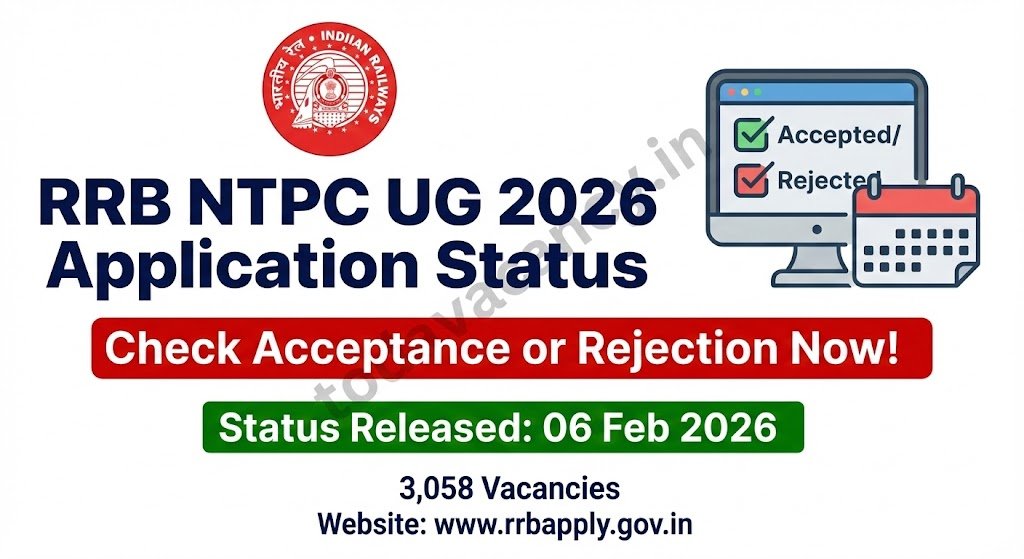

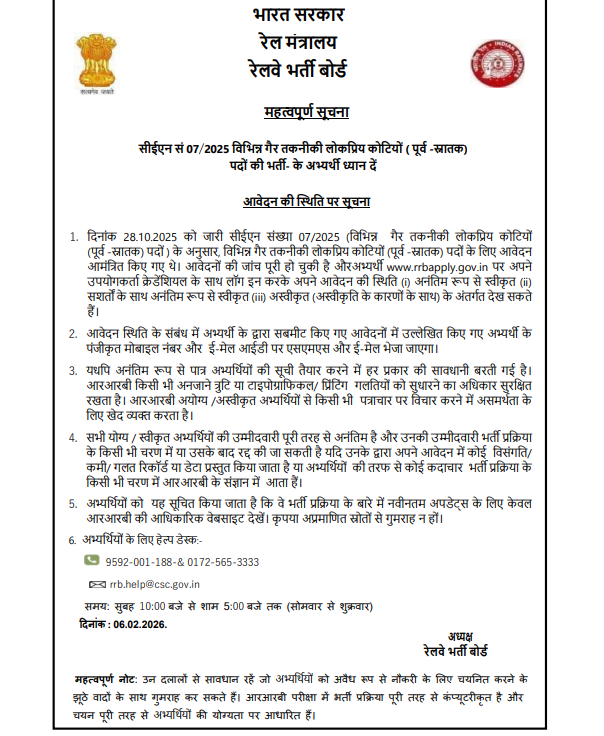
The Railway Recruitment Board (RRB) has released the official Application Status Notice for the Non‑Technical Popular Categories (NTPC) Undergraduate posts on 6 February 2026. Candidates who submitted their online applications can now log in to the portal and instantly learn whether their form has been accepted or rejected. The notice covers 3,058 UG vacancies out of the total 8,868 NTPC seats announced for 2026. Quick verification of status is essential, as only accepted candidates will receive city‑wise intimation and an admit‑card for the upcoming exam.
Recruitment/Exam Overview
| Feature | Details |
|---|---|
| Department/Board | Railway Recruitment Board (RRB) |
| Post Name | Undergraduate (UG) NTPC Posts |
| Exam Name | RRB NTPC UG 2026 |
| Total Vacancy | 3,058 (UG) |
| Category | Application Status (Result) |
| Application Mode | Online |
| State | All‑India |
Important Dates
| Event | Date |
|---|---|
| Application Status Notice | 6 February 2026 |
| City Intimation Slip Release | 10 days before the exam date* |
| Admit Card Release | 4 days before the exam date* |
| Exam Date | Details to be updated soon |
| Result / Answer Key Date | N/A |
*Exact dates will be posted once the exam schedule is finalised.
How to Check Your RRB NTPC Application Status?
Follow these straightforward steps to view whether your UG application has been accepted, temporarily accepted, or rejected:
- Open the official portal www.rrbapply.gov.in in any web browser.
- Click the “Login” button located on the homepage.
- Enter your User ID (the registration number you received after applying) and your Password (your date of birth in DD‑MM‑YYYY format).
- Complete the CAPTCHA verification and press “Submit.”
- The dashboard will display the Application Status column showing Accepted, Temporarily Accepted, or Rejected.
- If your status is Accepted, keep an eye on your registered mobile number and email – the board will send city‑wise intimation and a downloadable admit‑card shortly.
Quick Tips
- Double‑check the spelling of your User ID; a minor typo will block access.
- Ensure your DOB matches exactly the format used during registration.
- If the portal shows an error, clear browser cache or try a different browser.


Important Links
| Link Name | Direct Link |
|---|---|
| Application Status Check | Check |
| Download Notification | Check |
| Medical Standard for PwBD [pdf] | Download |
| Official RRB Website | www.rrbapply.gov.in |
| Join WhatsApp Group | Join Now |
| Join Telegram Channel | Join Now |
Conclusion
The RRB NTPC 2026 UG application status is now live, letting aspirants verify their eligibility for the upcoming exam. Candidates should log in promptly, note the status, and await further instructions on city intimation and admit‑card issuance. Always refer to the official notice for the most accurate information.
FAQs.
Q1. How long does it take for the status to appear after submitting the application?
Ans: The status is usually updated within 7‑10 days of the application deadline. Candidates receive an SMS/email once their form is processed.
Q2. What should I do if my application status shows “Temporarily Accepted”?
Ans: A “Temporarily Accepted” status means the board needs additional verification (e.g., document clarification). Follow the email/SMS instructions to upload the required documents within the stipulated time.
Q3. My application is marked “Rejected”. Can I re‑apply for the same vacancy?
Ans: No. Rejection indicates that the candidate does not meet the eligibility criteria for the current recruitment. However, you can apply for future RRB vacancies that match your qualifications.
Q4. I didn’t receive any SMS/email after checking the status. Is my login information wrong?
Ans: Verify that you entered the correct User ID and DOB. If the credentials are accurate and the portal still shows no update, contact the RRB helpdesk listed on the website.
Q5. Where can I download the admit‑card after my application is accepted?
Ans: Once the board releases the city‑wise intimation, the admit‑card will be available under the “Admit Card” section of your account on www.rrbapply.gov.in. It can be downloaded as a PDF and printed for the exam day.














