
The Ultimate AI Passport Photo Maker Online
Gone are the days when you had to visit a professional photo studio, sit under bright lights, and pay a premium just to get a standard passport-sized photograph. With the rapid advancement of Artificial Intelligence, creating a flawless, print-ready document photo is now something you can do right from your smartphone or computer.
Welcome to the Smart AI Passport Photo Maker. This 100% free, highly advanced online tool empowers you to transform any regular selfie or portrait into a perfectly aligned, background-free passport photo in mere seconds. Whether you need a photo for a job application, a university ID card, a visa form, or an official passport renewal, our tool ensures your image meets the strict biometric standards required globally.
Why Use an AI Passport Photo Creator?
Creating a passport photo manually using editing software like Photoshop requires skill, patience, and time. You have to carefully outline the hair, erase the background without cutting into the face, and then calculate the exact millimeter-to-pixel ratio to ensure the face takes up the correct percentage of the final image. Our AI eliminates all of these hurdles.
- Automatic Face Detection & Centering: Official documents require your head to be perfectly centered, taking up roughly 60-70% of the photo height. Our AI automatically scans your uploaded image, locates your facial features, and crops the image with the perfect head-to-shoulder ratio.
- Flawless Background Removal: Standing against a messy wall? No problem. The integrated neural network precisely separates the subject from the background, smoothly handling tricky areas like hair edges and clothing contours.
- Custom Background Colors: Different documents have different requirements. While Indian passports typically require a white or light-grey background, some IDs prefer a standard blue background. Our tool lets you change the background color instantly with a built-in color picker.
- Face Enhancement: Indoor lighting can sometimes make photos look dull or shadowy. The built-in "Face Enhancement" slider gently boosts the brightness and contrast of the subject, giving it a clean, well-lit studio finish without looking artificial.
How to Create a Passport Photo at Home (Step-by-Step)
Taking and processing your own passport photo is incredibly easy. Just follow these simple steps to guarantee a photo that won't be rejected by authorities.
Step 1: Take a Good Source Photo
Have someone take a photo of you from about 4-5 feet away (selfies taken too close can distort your facial proportions). Stand facing a window for natural, even lighting across your face. Look straight into the camera with a neutral expression. Don't worry about the background—our AI will handle that!
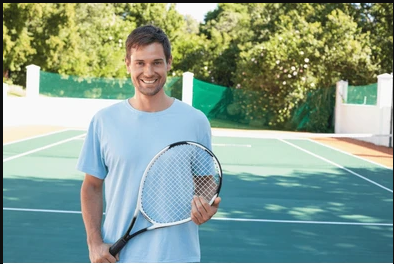
Example: Capture image with clear lighting.
Step 2: Upload and Configure Settings
Click the upload area on our tool above and select your photo. Next, choose your required background color. Select the size you need from the dropdown menu (35x45mm is standard for many countries and IDs, while 2x2 inches is standard for US visas). You can also choose to add a thin black border, which makes cutting the printed photo much easier.
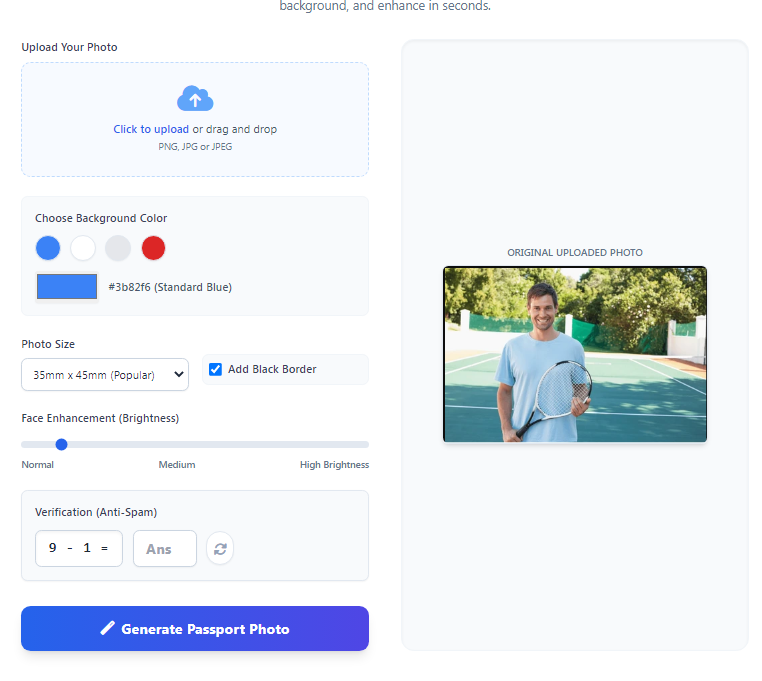
Example: Choosing background and dimensions.
Step 3: Verify and Generate
Solve the simple math verification question (this helps us keep the tool free by blocking spam bots). Finally, click "Generate Passport Photo". You will see a circular progress bar as our cloud AI works its magic. Within seconds, your high-resolution, perfectly cropped photo will be ready to download and print!
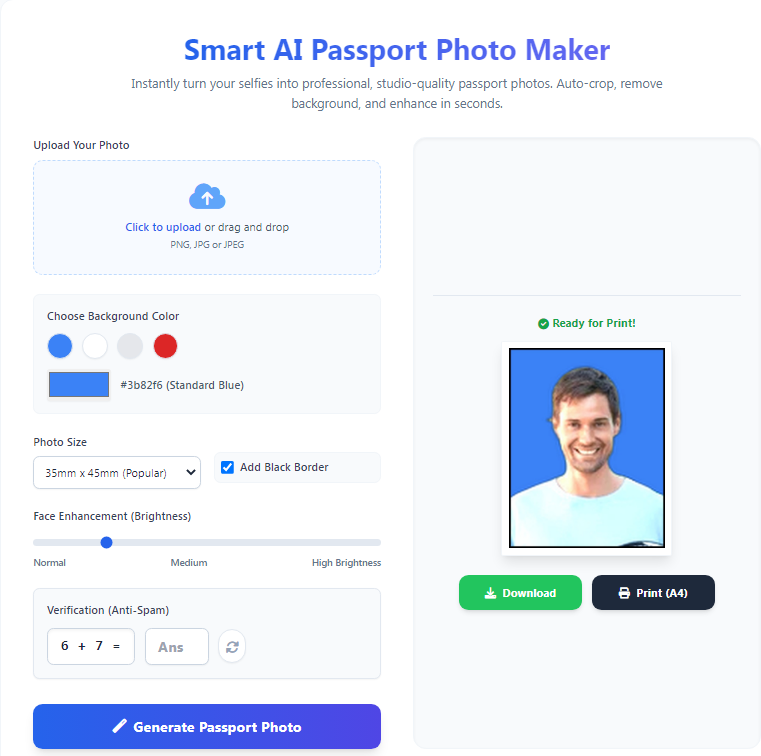
Example: Final perfectly cropped result.
Ready to Get Started?
Stop paying studio fees and waiting in lines. Upload your photo now and let our Artificial Intelligence craft the perfect passport picture for you completely free of charge.
Frequently Asked Questions (FAQs)
1. Is this Passport Photo Maker completely free?
Yes! Our AI Passport Photo Maker is 100% free to use. You can generate, crop, and download as many photos as you need without any hidden fees, subscriptions, or intrusive watermarks on your final image.
2. Does it automatically crop to the correct passport size?
Yes, our tool uses advanced OpenCV AI face detection. It finds your face in the uploaded photo, calculates the perfect shoulder-to-head clearance margin, and automatically crops the image to exact standard dimensions like 35x45mm. This guarantees your face is proportionate.
3. Can I change the background color of my photo?
Absolutely. The RemBG AI engine perfectly removes whatever messy background you currently have. Once removed, you can replace it with any color of your choice using our color picker, or simply click the quick-select buttons for standard Blue, White, or Light Grey.
4. Are my uploaded photos safe and private?
Your privacy is our highest priority. Photos are sent securely to our cloud processor, processed entirely within temporary RAM, and are instantly deleted the moment your final passport photo is generated and returned to your browser. We do not store, view, or use your photos for training.
5. Why do I need to solve a math question?
The simple math CAPTCHA is a security measure. Because our AI processing requires server resources, we need to ensure that actual humans are using the tool, not automated spam bots trying to overload the system. It helps us keep the tool fast and free for everyone.