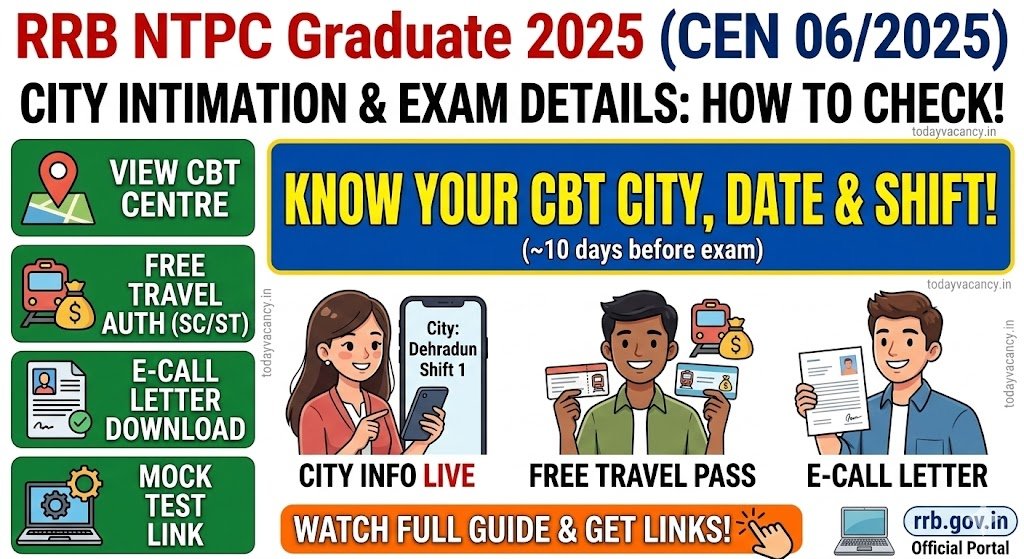

The Railway Recruitment Board (RRB) has opened the portal for candidates to view their Computer‑Based Test (CBT) city, date and shift for the CEN 06/2025 – NTPC Graduate recruitment. The information becomes accessible roughly ten days before the scheduled exam, and candidates can also download their free travel authority, e‑call letter and mock‑test link from the same page. This article walks you through the exact steps, required documents, exam timings and other essential FAQs, ensuring you never miss the crucial intimation slip.
Recruitment / Exam Overview
| Feature | Details |
|---|---|
| Department / Board | Railway Recruitment Board (RRB) – NTPC Graduate |
| Post Name | Graduate (NTPC) |
| Exam Name | Computer‑Based Test (CBT) |
| Total Vacancy | N/A (city intimation only) |
| Category | City Intimation / Exam Details |
| Application Mode | Online |
| State | All India (RRB conducts nationwide) |
Important Dates
(If any date is not yet released, the table shows “Details to be updated soon”)
| Event | Date |
|---|---|
| City & Shift Intimation | Details to be updated soon |
| Free Travel Authority | Details to be updated soon |
| e‑Call Letter Download | Details to be updated soon |
| Mock Test Availability | Details to be updated soon |
| CBT Examination | Details to be updated soon |
How to View City Intimation, e‑Call Letter & Free Travel Authority
Follow these five steps to retrieve all exam‑related information from the official RRB portal:
- Open the official city‑intimation link – click here: RRB City Intimation Portal.
- Enter your Registration Number (the 13‑digit number you received after completing the online application).
- Provide your Date of Birth in the format DD/MM/YYYY (the same as entered in the application).
- Solve the CAPTCHA and click Login.
- Upon successful login you will see three sections:
- City, Date & Shift Details – view the CBT centre, scheduled date and shift (Shift 1, 2 or 3).
- Free Travel Authority – SC/ST candidates can download this PDF at the same time.
- e‑Call Letter – available from four days before the CBT up to the exam day.
Tip: Bookmark the portal and keep your registration number handy; the system locks you out after several failed attempts.
Mock Test Link
The RRB will publish a mock‑test URL on the same login page. Candidates are encouraged to practice at least once before the actual CBT. The mock test mirrors the real exam format (100 questions, 90 minutes, negative marking of 1/3 per wrong answer).
Exam Day Essentials
Shift Timings (All Shifts)
| Shift | Reporting Time | Gate Closing | Exam Start | Exam Duration |
|---|---|---|---|---|
| 1 | 07:30 AM | 08:30 AM | 09:00 AM | 90 minutes |
| 2 | 11:15 AM | 12:15 PM | 12:45 PM | 90 minutes |
| 3 | 03:00 PM | 04:00 PM | 04:30 PM | 90 minutes |
- Number of Shifts per Day: Usually three. Your exact shift appears on the e‑call letter.
- Submit Button Activation: The Submit button becomes active automatically after you complete 60 minutes of the CBT.
Documents to Carry
| Document | Requirement |
|---|---|
| e‑Call Letter | Must be printed (original soft copy not accepted). |
| Two Original Photo IDs | One must match the ID entered in the application (Aadhaar, Voter ID, PAN, Driving Licence, Passport, Government Employee ID, etc.). |
| Aadhaar Card | Needed for biometric verification; keep it unlocked in UIDAI system. |
| Passport‑size Photograph | 3.5 cm × 4.5 cm, recent (≤ 6 months), front view, no cap or sunglasses. |
| Free Travel Authority (SC/ST only) | Printed copy for ticket booking. |
| Caste Certificate (if applicable) | Original copy for verification. |
Important: Photocopies are not accepted. Carry the original documents only.
Items NOT Allowed Inside the Test Centre
- Mobile phones, tablets, smart watches, earphones, Bluetooth devices, calculators, MP3 players, etc.
- Books, notes, rough sheets, pens, pencils, erasers, scales, water bottles, packaged food.
- Any electronic gadget that can store or transmit data.
Only the e‑call letter and original photo IDs are permitted. The invigilator will provide a rough sheet and pen at the venue; you must hand them back after the exam.
Biometric & Aadhaar Verification
- Biometric Attendance is recorded at the entrance.
- Aadhaar verification is mandatory for all candidates. Ensure your Aadhaar is linked to the UIDAI portal and remains in an unlocked state; otherwise, you may face entry delays.
Free Travel Authority (FTA) – Booking Tickets
SC/ST candidates who opted for free travel can download the FTA together with the city‑intimation slip. For ticket reservation, bring:
- Printed Free Travel Authority
- Original Caste Certificate
- Any Original ID Proof used during online application
These documents are required by the railway reservation counters.


Important Links
| Link Name | Direct Link |
|---|---|
| City Intimation & Exam Details (Login) | RRB City Intimation Portal |
| Notification PDF (HelpDesk FAQ) | HelpDesk FAQ PDF |
| Official RRB Website | RRB Official Site |
| HelpDesk Contact (Phone) | +91 9513632564 |
| WhatsApp Community | Join Now |
| Telegram Channel | Join Now |
| Current Affairs Quiz | Join Quiz |
Conclusion
All NTPC Graduate candidates must log in to the RRB portal as early as ten days before the CBT to secure their city, date, shift, free travel authority and e‑call letter. Keep the required original documents ready, adhere to the prohibited‑item list, and follow the biometric/Aadhaar guidelines to avoid any last‑minute hassles.
FAQs.
Q1. When can I view my CBT city, date and shift?
Ans: The details become visible on the official portal about 10 days before the scheduled CBT. Log in with your registration number and date of birth to access them.
Q2. Is it possible to change the exam city, date or shift after it is published?
Ans: No. The RRB does not entertain any requests for changing city, date or shift under any circumstances.
Q3. How do SC/ST candidates obtain the Free Travel Authority?
Ans: After logging in, the system automatically generates a downloadable PDF of the Free Travel Authority along with the city‑intimation slip, roughly ten days before the CBT.
Q4. When is the e‑call letter available for download?
Ans: Candidates can download their e‑call letter from any RRB website four days prior to the CBT and up to the exam day.
Q5. Where can I find the mock‑test link?
Ans: The mock‑test URL is posted on the same login page used for city intimation. It appears once you successfully log in.
Q6. What is the negative marking scheme?
Ans: For every incorrect answer, 1/3 of the marks allotted to that question will be deducted.
Q7. Are there any prohibited activities during the CBT?
Ans: Yes. Using electronic devices, copying answers, accessing the internet, chatting with other candidates, or any form of malpractice is strictly forbidden and may lead to disqualification.
Q8. My Google map link to the test centre is broken. What should I do?
Ans: Manually type the test centre’s name and address into Google Maps to locate it. The provided Google link is only for guidance and is not a contractual guarantee.
Q9. I forgot my login password. How can I reset it?
Ans: Click the “Forgot Password” link on the login page, enter your registered mobile number and date of birth. A new password will be sent to your registered email address.
Q10. I have already changed my name legally. What proof should I carry?
Ans: Bring the official Gazette Notification or any legal document confirming the name change. Present it during document verification and also fill both the old and new names while creating your account.