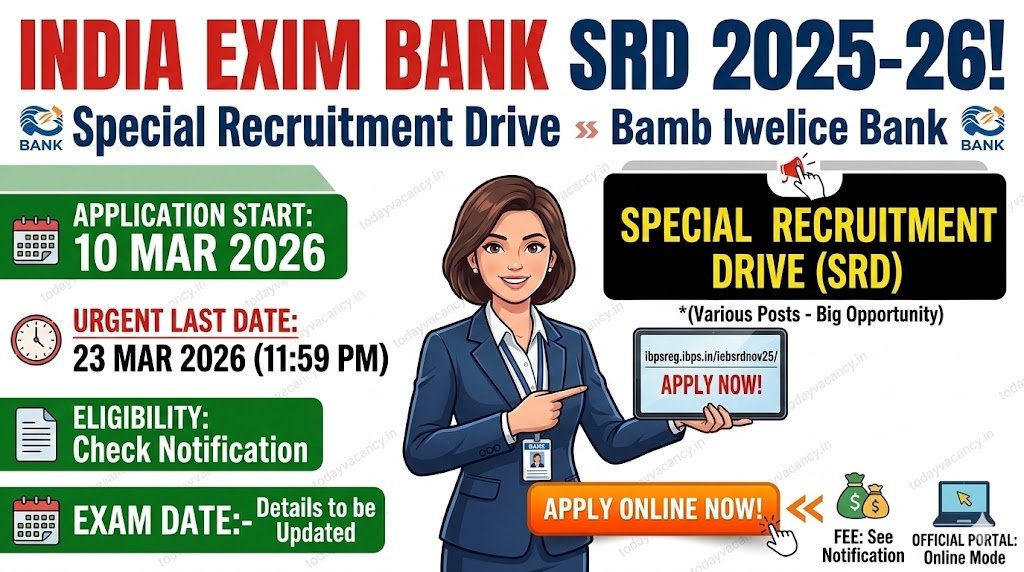

India Exim Bank has launched its Special Recruitment Drive (SRD) 2025‑26 (Advertisement No. HRM/DM & M / SRD/2025‑26 /07). The bank invites applications for a range of posts across the country. Candidates can register and pay the non‑refundable fee only through the official portal between 10 March 2026 and 23 March 2026. The last date to print the completed application form is 7 April 2026. All details, including eligibility and vacancy numbers, are available in the notification; applicants are urged to read it carefully before proceeding.
Recruitment/Exam Overview
| Feature | Details |
|---|---|
| Department/Board | India Exim Bank |
| Post Name | Various Posts (as per notification) |
| Exam Name | Special Recruitment Drive (SRD) Online Test |
| Total Vacancy | Details to be updated soon |
| Category | New Recruitment |
| Application Mode | Online only |
| State | All‑India |
Important Dates
| Event | Date |
|---|---|
| Online Registration Opens | 10 Mar 2026 |
| Application Submission Closes | 23 Mar 2026 |
| Editing of Application Details Closes | 23 Mar 2026 |
| Last Date to Print Application | 07 Apr 2026 |
| Online Fee Payment Window | 10 Mar 2026 – 23 Mar 2026 |
| Exam Date | Details to be updated soon |
| Admit Card Release | Details to be updated soon |
| Result / Answer Key | Details to be updated soon |
Application Fee Details
| Category | Fee |
|---|---|
| General / OBC / EWS | Details to be updated soon |
| SC / ST / PH | Details to be updated soon |
| Payment Mode | Online (Debit/ Credit Card, Net‑Banking, Wallets, IMPS) |
All bank transaction charges are borne by the candidate.
Vacancy & Eligibility Criteria
- Age Limit: Candidates must satisfy the age requirement mentioned in the official notification (usually a minimum of 18 years, maximum varies by post). Relaxations as per government rules apply.
- Educational Qualification: Minimum qualification varies with the post – ranging from 10th pass to postgraduate degree. Detailed qualifications are listed in the advertisement.
| Post (Sample) | Total Posts | Minimum Qualification |
|---|---|---|
| Details to be updated soon | Details to be updated soon | Details to be updated soon |
Note: The above table will be populated once the official vacancy list is released.
How to Apply Online?
Follow these precise steps to submit your application on the India Exim Bank SRD portal:
- Open the registration page – https://ibpsreg.ibps.in/iebsrdnov25/basic_details.php
- Click “Click here for New Registration”, fill in your name, email and mobile number. A provisional registration number and password will be generated and sent via SMS & email.
- Log in with the provisional credentials at https://ibpsreg.ibps.in/iebsrdnov25/.
- Choose “APPLY ONLINE” → fill personal, academic and employment details. Use “SAVE AND NEXT” frequently to avoid data loss.
- Upload required documents (passport‑size photo, signature, left thumb impression, handwritten declaration, mark sheets, experience letters, caste certificate if applicable) adhering to the size and format specifications given in the notification.
- Preview the entire form, correct any errors, and click “COMPLETE REGISTRATION.”
- Proceed to the “PAYMENT” tab, select your preferred payment method, and complete the fee transaction. Wait for the server confirmation; do not refresh the page.
- After successful payment, download and print the e‑receipt and the filled‑in application form. Keep both hard and soft copies for future reference.
Helpful Resource: Detailed step‑by‑step PDF – check pdf


Important Links
| Link Name | Direct Link |
|---|---|
| Apply Online / Registration | Registration an Apply online |
| Login to Existing Application | login |
| Apply Online (Form) | Apply online |
| How‑to‑Apply PDF | Check pdf |
| Official Website of India Exim Bank | Visit |
| Join WhatsApp Group | Join Now |
| Join Telegram Channel | Join Now |
| Current Affairs Quiz | Join Now |
Conclusion
India Exim Bank’s SRD 2025‑26 offers a limited window for aspirants to secure a government‑sector role. Register, upload clear documents, and pay the fee before 23 March 2026. Always verify the official notification for exact vacancy numbers, eligibility, and exam schedule to avoid disqualification.
FAQs.
Q1. What should I do if I miss the “Print Application” deadline?
Ans: The portal allows you to re‑login using your registration number and password to generate a fresh printout until 7 April 2026. Ensure the printed copy matches the uploaded documents.
Q2. Can I edit my application after clicking “Complete Registration”?
Ans: No. Once you click “COMPLETE REGISTRATION,” the form is locked. Use the “SAVE AND NEXT” option to make changes before final submission.
Q3. My payment failed but the amount was deducted. What now?
Ans: Check your e‑receipt. If none is generated, log in again, verify your provisional credentials, and repeat the payment. Contact the help‑desk with your registration number, screenshot of the error, and browser details.
Q4. Is a left thumb impression mandatory if I have an injury?
Ans: Yes, but you may use the right thumb if the left is unavailable. The impression must be clear, scanned in the specified format, and uploaded with your application.
Q5. Will my application be considered if I upload a scanned declaration in a language other than English?
Ans: No. The handwritten declaration must be in English and in your own handwriting. Any deviation will lead to rejection of the application.