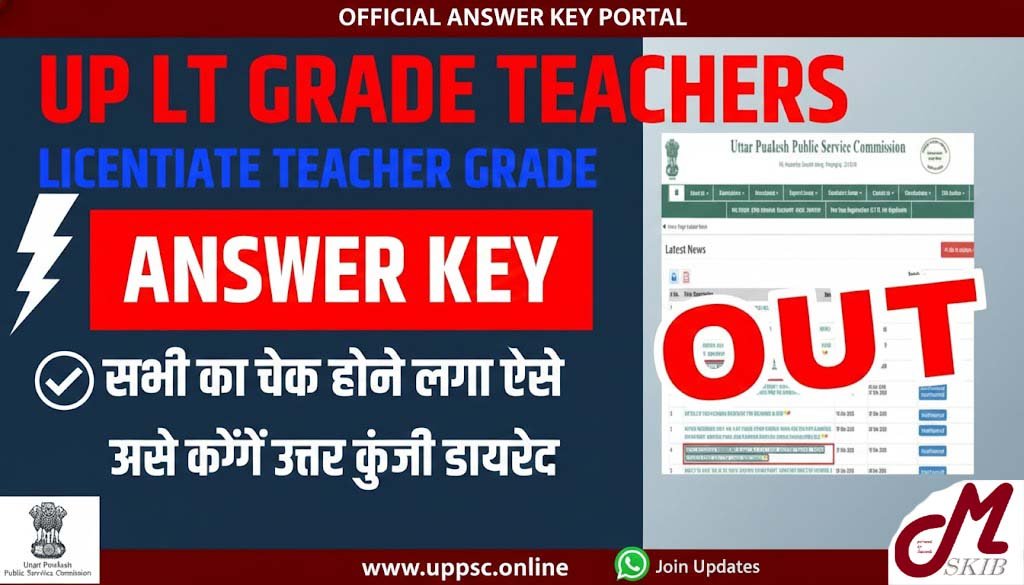

If you’re preparing for the Uttar Pradesh Public Service Commission (UPPSC) exam for the Assistant Teacher – Trained Graduate (LT) Grade posts, you already know that the answer key is the compass that tells you whether you’re on the right track. The 2026 recruitment drive for 7,466 positions was held on January 17‑18 and 24‑25, 2026 and candidates are now anxiously waiting for the official answer key, expected in February 2026.
In this guide we’ll walk you through:
- Where and how to download the UP LT Grade Teacher answer key – step‑by‑step, no jargon.
- How to compare your own answer sheet with the official key – practical tips to spot mistakes.
- The exact process for filing an objection online – what to include, where to click, and how long it takes.
- Why the answer key matters for your next move – ranking, score calculation, and future preparation.
All the information is based on the latest UPPSC notification (Advertisement A‑5/E‑1/2025) and reflects the current‑year scenario (2026). Let’s get started!
1. Why the Answer Key Is a Game‑Changer
Think of the answer key as the report card of the exam. It tells you:
| Benefit | What It Means for You |
|---|---|
| Score verification | You can calculate your total marks (out of 150) instantly, instead of waiting weeks for the official result. |
| Identify weak spots | By matching each of the 150 questions with the key, you instantly see which topics need extra revision. |
| Prepare a solid objection | If you believe an answer has been mis‑keyed, you now have the official reference to back up your claim. |
| Strategic planning | Knowing your real score helps you decide whether to apply for the next recruitment round or explore other opportunities. |
2. Step‑by‑Step: Downloading the Official Answer Key
Below is a simple, conversational walk‑through that you can follow on a smartphone or a laptop.
Step 1 – Open the UPPSC portal
- Launch any web browser (Chrome, Firefox, or Safari).
- Type upsc.up.nic.in (the official UPPSC website) and hit Enter.
Pro tip: Bookmark the portal so you don’t waste time typing it again later.
Step 2 – Locate the “Answer Key” section
- On the homepage, look for a banner or a tab titled “Examinations”.
- Hover over it and a dropdown appears. Click “LT Grade Teacher Answer Key 2026”.
If the link isn’t visible, scroll down to the “Latest Notifications” box—UPPSC usually pins the answer key there shortly after release.
Step 3 – Log in with your credentials
You’ll be prompted to log in using the same username and password you created while registering for the exam.
- Username: Your registered email or mobile number.
- Password: The one you set during the initial application.
Security tip: If you’ve forgotten your password, use the “Forgot Password?” link. A One‑Time Password (OTP) will be sent to your registered mobile number.
Step 4 – Access the PDF
Once logged in, you’ll see a button labeled “Download Answer Key (PDF)”. Click it, and the file should start downloading automatically.
- Save it in a dedicated folder (e.g., UPPSC_AnswerKeys).
- Keep a backup on Google Drive or any cloud service—you’ll thank yourself later if the phone crashes.
Step 5 – Verify the download
Open the PDF and confirm that it contains 150 questions and 150 corresponding answers. The header will mention the exam date (Jan 17‑18/24‑25 2026) and the total marks (150).
If the file looks corrupted or incomplete, clear your browser cache and repeat the steps.
3. Matching Your Answers – A Practical Example
Let’s say Rohit, a candidate from Lucknow, scored 112 according to his rough calculation. Here’s how he double‑checked his result:
| Question No. | Rohit’s Answer | Official Answer | Correct? |
|---|---|---|---|
| 12 | B | C | ❌ |
| 45 | D | D | ✅ |
| 78 | A | A | ✅ |
| … | … | … | … |
Rohit used a simple Excel sheet:
- Column A – Question numbers (1‑150).
- Column B – His own answers.
- Column C – Answers copied from the PDF.
- Column D – Formula
=IF(B2=C2,"Correct","Wrong").
At the end, the COUNTIF function gave him the exact number of correct responses. He discovered three mismatches he had previously marked as correct. After adjusting his score, Rohit’s total rose from 112 to 115.
Takeaway: A quick spreadsheet can turn a manual, error‑prone count into a bullet‑proof verification.
4. How to Raise an Objection (If You Spot a Mistake)
The UPPSC allows candidates to contest any answer they believe is erroneous. Here’s the official route:
Step A – Prepare your evidence
- Screenshot of the questionable question from the exam paper (if you saved it).
- Copy‑paste of the answer from the official key.
- Reference to the relevant textbook or syllabus clause (e.g., NCERT Class 10 Science, Chapter 6).
Step B – Visit the “Raise Objection” portal
- From the same UPPSC dashboard, click “Objection Form – LT Grade Teacher 2026”.
- A new page opens with fields for Application No., Candidate Name, Question No., Your Proposed Answer, Reason for Objection, and Supporting Document Upload.
Step C – Fill the form
- Application No.: 2026‑LT‑123456 (your unique registration number).
- Question No.: 12 (example).
- Your Proposed Answer: C.
- Reason: “The question asks for the primary cause of … which is clearly option C as per NCERT 2020 edition, page 45.”
Step D – Attach supporting files
Upload a PDF that includes the screenshot of the original question and a citation from the textbook. Keep the file size under 2 MB.
Step E – Submit and note the acknowledgment
After hitting Submit, you’ll receive a confirmation number (e.g., OB‑2026‑00123). Save this; it’s your ticket for any future follow‑up.
Important: The objection window usually stays open for 10 days after the answer key release. Missing this deadline means you lose the chance to contest.
5. Common Mistakes Candidates Make
| Mistake | Why It Happens | How to Avoid |
|---|---|---|
| Downloading the wrong PDF (e.g., previous year’s key) | Similar file names on the portal. | Check the header for “2026”. |
| Skipping the login step and trying to access a direct link | Assuming the key is publicly available. | Always log in; the key is behind a secured wall. |
| Not backing up the file | Phone storage failure. | Store a copy on cloud or a USB drive. |
| Submitting an objection without evidence | Overconfidence or lack of time. | Gather screenshots and textbook references before filing. |


Important Links
| Resource | Description | Action |
|---|---|---|
| WhatsApp Channel | Join our official updates channel | Join Now |
| UPPSC Official Portal | Main hub for answer key download, objections, and notifications | Visit Site |
Final Thoughts
The UP LT Grade Teacher Answer Key 2026 is more than just a list of correct options; it’s a strategic tool that can shape the rest of your teaching career. By downloading the key promptly, verifying your responses with a spreadsheet or a simple tally, and filing any legitimate objections within the prescribed window, you give yourself the best shot at a fair evaluation.
Remember, preparation doesn’t stop at the exam day. Use the answer key to:
- Fine‑tune your study plan for future competitive exams.
- Identify high‑frequency topics that the UPPSC emphasizes year after year.
- Boost confidence by seeing concrete evidence of where you excel and where you need improvement.
Stay organized, keep a backup of every document, and don’t hesitate to reach out for help—whether through the official UPPSC helpline, the WhatsApp channel listed above, or study groups on social media. The right information at the right time can make the difference between a modest score and a top‑ranked result.