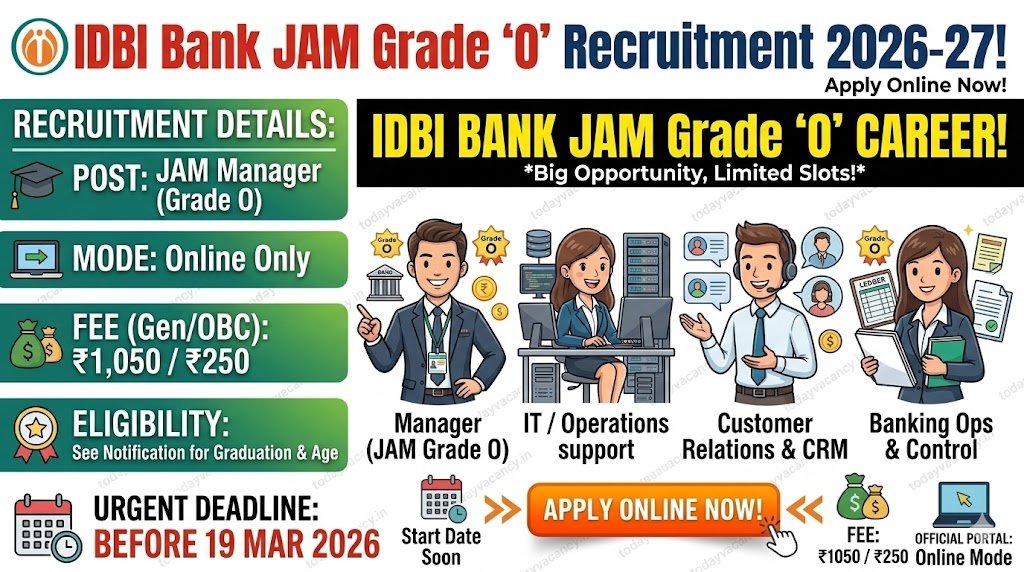

IDBI Bank has launched the much‑anticipated recruitment drive for Junior Assistant Manager (JAM) – Grade “O” for the financial year 2026‑27. The bank announced the opening of online applications on 8 March 2026 and has set a hard deadline of 19 March 2026 for submitting all entries. Candidates eager to join a premier public sector bank must act fast, verify the eligibility norms, and complete the fee payment before the 3 April 2026 printing deadline. This article gives a complete, up‑to‑date snapshot of the notification, key dates, fee structure, and step‑by‑step instructions to submit a flawless application.
Recruitment/Exam Overview
| Feature | Details |
|---|---|
| Department/Board | IDBI Bank Limited |
| Post Name | Junior Assistant Manager (JAM) – Grade “O” |
| Exam Name | IDBI Bank JAM 2026‑27 Online Examination |
| Total Vacancy | Details to be updated soon |
| Category | New Recruitment |
| Application Mode | Online only (through the bank’s official portal) |
| State / Coverage | All India (national level) |
Important Dates
| Event | Date |
|---|---|
| Commencement of online registration | 08 Mar 2026 |
| Closure of registration | 19 Mar 2026 |
| Last date for printing application | 03 Apr 2026 |
| Online fee payment window | 08 Mar 2026 – 19 Mar 2026 |
| Exam date | Details to be updated soon |
| Admit Card release | Details to be updated soon |
| Result / Answer Key | Details to be updated soon |
All dates are inclusive unless otherwise mentioned.
Application Fee Details
| Category | Fee (INR) |
|---|---|
| SC / ST / PwBD (Intimation) | 250 |
| General / OBC / EWS (Application + Intimation) | 1,050 |
| Payment Mode | Online (Debit/Credit Card, Net‑Banking, UPI, Mobile Wallets) |
Note: Transaction or convenience charges levied by banks are borne by the candidate. The fee is non‑refundable under any circumstance.
Vacancy & Eligibility Criteria
The official notification has not disclosed the exact number of posts or detailed eligibility parameters yet. Candidates are urged to keep an eye on the notification PDF for the final figures.
- Age Limit: Details to be updated soon (standard banking recruitment age limits usually range between 20‑30 years with relaxations for reserved categories).
- Educational Qualification: Details to be updated soon (typically a graduate degree in any discipline for JAM posts).
| Post Name | Total Posts | Qualification |
|---|---|---|
| Junior Assistant Manager (JAM) – Grade “O” | Details to be updated soon | Details to be updated soon |
How to Apply Online (Step‑by‑Step)
- Open the official portal – Go to www.idbi.bank.in.
- Navigate → Click “CAREERS / CURRENT OPENINGS” → Choose “Recruitment of Junior Assistant Manager – Grade ‘O’: 2026‑27.”
- Start a new registration – Click “Click here for New Registration.” Fill in your name, mobile number, and a valid email address. The system will generate a Provisional Registration Number and Password – note them down immediately.
- Save your progress – Use the “SAVE AND NEXT” button to store partially completed data. You can return later using the same Registration Number and Password.
- Upload required documents – Scan and upload the following as per Annexure I specifications:
- Recent passport‑style colour photograph (4.5 cm × 3.5 cm, 200 × 230 px, 20‑50 KB).
- Hand‑written declaration (in English, lower‑case letters, 800 × 400 px, 50‑100 KB).
- Signature (black ink, 140 × 60 px, 10‑20 KB, not in capital letters).
- Left thumb impression (or alternate finger/toe as described, 240 × 240 px, 20‑50 KB).
- Preview – Click the “Preview” tab, verify every field, and ensure the uploaded images are clear and placed in the correct slots.
- Complete registration – After confirming all details, press the “COMPLETE REGISTRATION BUTTON.” No further edits are allowed post‑submission.
- Pay the fee – Go to the “Payment” tab, select the appropriate fee category, and complete the transaction using your preferred online mode. Do not refresh or navigate back during payment to avoid double charges.
- Print confirmation – Once payment succeeds, an e‑Receipt and the online application form will be generated. Print both copies and keep them safe; you will need them for later stages (call letters, document verification, etc.).
Critical Reminder: The email‑ID and mobile number entered must remain active throughout the recruitment cycle. The bank will communicate call letters, exam details, and results exclusively through these channels.


Important Links
| Link Name | Direct Link |
|---|---|
| Apply Online (JAM 2026‑27) | Apply Online |
| Login or Registration link | Registration | Login |
| Download Notification (PDF) | download |
| Official IDBI Careers Page | Visit |
| Join WhatsApp Group (Updates) | Join Now |
| Join Telegram Channel (Live Alerts) | Join Now |
| Current Affairs Quiz (Prep) | Join Quiz Group |
Conclusion
IDBI Bank’s JAM Grade “O” recruitment offers a fast‑track entry into the banking sector for eligible candidates. The window for online registration is narrow—08 Mar 2026 to 19 Mar 2026—so verify the eligibility, prepare the scanned documents as per guidelines, and complete the fee payment without delay. Always cross‑check the official notification for the final vacancy count and detailed eligibility before hitting Submit.
FAQs.
Q1. What should I do if the registration page keeps loading slowly?
Ans: High traffic can slow the portal. Try accessing the site during off‑peak hours (late night or early morning) or use a stable broadband connection. If the problem persists, clear your browser cache or switch to another supported browser (Chrome 30+, Firefox 20+, IE 9+).
Q2. Can I edit my personal details after clicking “Complete Registration”?
Ans: No. Once the COMPLETE REGISTRATION button is pressed, all entries become final. The only way to make changes is to register a new application (which will forfeit the earlier fee).
Q3. I belong to the SC category but mistakenly selected General. Will my application be rejected?
Ans: Yes. Category selection cannot be altered after submission. An incorrect category leads to automatic disqualification, even if the eligibility criteria are otherwise met.
Q4. How will I know if my fee payment was successful?
Ans: A successful transaction generates an e‑Receipt on the screen and sends a confirmation email to the registered email‑ID. If you do not receive the receipt, log in again with your Registration Number and attempt the payment once more.
Q5. Is it mandatory to upload a live webcam photo in addition to the scanned passport photograph?
Ans: Yes. The portal requires both a scanned passport‑style photograph and a live capture via webcam or mobile phone. Failure to upload the live photo will block further progress.
Q6. What if I have a disability and cannot provide a thumb impression?
Ans: The guidelines allow candidates without a left thumb to use the right thumb, another finger, or even the left toe. Clearly mention the chosen digit in the uploaded document as instructed in Annexure I.














