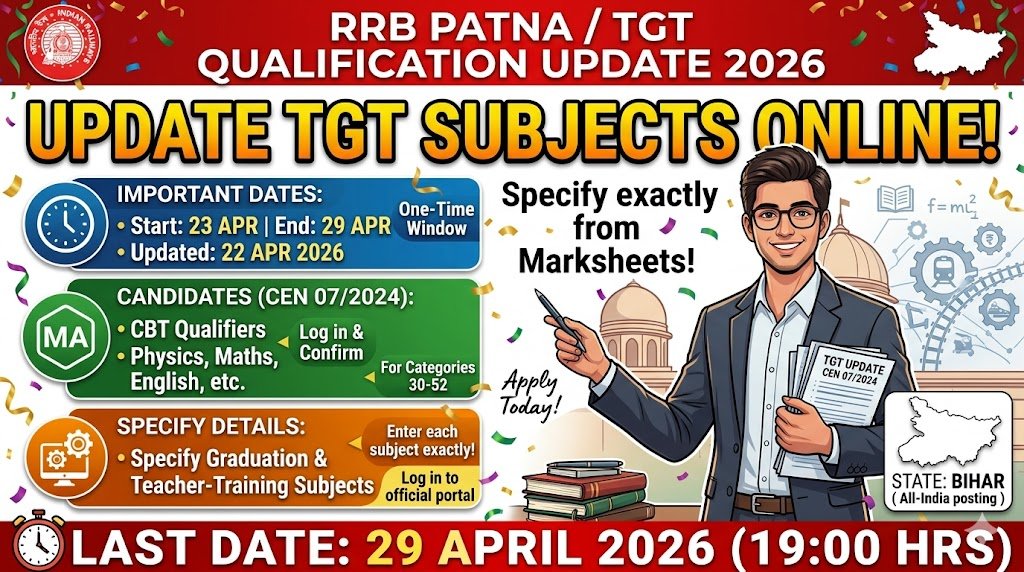

Introduction: The Railway Recruitment Board (RRB) Patna has issued a fresh notice (CEN No. 07/2024) allowing candidates who applied for Trained Graduate Teacher (TGT) posts to revise the subject details of their qualifications. This one‑time window opens on 23 April 2026 at 09:00 hrs and closes on 29 April 2026 at 19:00 hrs. Candidates who appeared for the Computer‑Based Test (CBT) must log in to the official portal, confirm the subjects covered, and download the revised eligibility sheet. Missing this deadline may lead to disqualification, as no further updates will be entertained.
Recruitment/Exam Overview
| Feature | Details |
|---|---|
| Department/Board | Railway Recruitment Board – Patna |
| Post Name | Trained Graduate Teacher (TGT) – Categories 30‑38, 40‑43, 46, 47, 49, 51, 52 |
| Exam Name | Computer Based Test (CBT) |
| Total Vacancy | Details to be updated soon |
| Category | Qualification Update (Recruitment) |
| Application Mode | Online |
| State | Bihar (All‑India posting) |
Important Dates
| Event | Date |
|---|---|
| Qualification‑Update Start | 23 April 2026 – 09:00 hrs |
| Qualification‑Update End | 29 April 2026 – 19:00 hrs |
| Notification Published | 22 April 2026 |
| Original CBT Date | Details to be updated soon |
Vacancy & Eligibility Criteria
- Age Limit: Details to be updated soon (standard RRB age norms apply).
- Educational Qualification: Candidates must hold a recognized graduate degree and have completed a teacher‑training program (B.Ed/PGT). The update concerns the subjects covered within those qualifications.
| Post Name | Total Posts | Qualification (Subject Details Required) |
|---|---|---|
| TGT – Category 30‑38, 40‑43, 46, 47, 49, 51, 52 | Details to be updated soon | Graduate + Teacher‑Training; candidates must now specify each subject studied (e.g., Physics, Chemistry, Mathematics, etc.) |
How to Update Your Qualification (Online)?
Follow these simple steps to confirm the subjects covered in your degree and teacher‑training certificates:
- Visit the official portal: www.rrbapply.gov.in.
- Click “Login” using the User ID and password created during your original application.
- Navigate to “Update Qualification” under the My Application dashboard.
- Enter each subject you studied for both your graduate degree and teacher‑training course exactly as it appears on the mark sheet.
- Review the entered data, then click “Submit”. A confirmation screen will appear; take a screenshot for records.
- After submission, you can download the revised eligibility PDF from the same page. Keep it handy for future reference.
Tip: This is a one‑time opportunity. Once the window closes on 29 April 2026, no further changes will be accepted.


Important Links
| Link Name | Direct Link |
|---|---|
| Update Qualification (Live from 23‑Apr‑2026) | Apply / Update Here |
| Download Notification (PDF) | Notice on Updation of Qualifications – CEN 07/2024 |
| Official RRB Patna Website | Visit |
| Helpdesk – Phone | 9592‑001‑188 & 0172‑565‑3333 |
| Helpdesk – Email | rrb.help@csc.gov.in |
| Join WhatsApp Group | Join Now |
| Join Telegram Channel | Join Now |
| Current Affairs Quiz | Join Now |
Conclusion
RRB Patna’s qualification‑update notice is a critical step for all TGT aspirants. Log in, enter the exact subjects of your degree and teacher‑training, and download the revised eligibility before 29 April 2026. Always verify details from the official notification to avoid any missteps.
Date
Start: 23 April 2026 End: 29 April 2026
What happens if I miss the 29 April 2026 deadline?
The board will consider the qualification details you originally submitted. No further corrections will be entertained, which may affect eligibility.
Do I need to pay any fee for updating my qualification?
No. The qualification‑update process is completely free of charge.
Can I change my subjects after submitting the update?
No. Once you click Submit, the data is locked. Only a single correction window is provided.
Where can I find the list of subjects required for each TGT category?
Refer to the original notification PDF linked above; it outlines the subject mapping for categories 30‑38, 40‑43, 46, 47, 49, 51, and 52.
Who should I contact if I face technical issues on the portal?
Call the helpdesk at 9592‑001‑188 or 0172‑565‑3333 between 10:00 AM and 05:00 PM, or email rrb.help@csc.gov.in.














